Email Templates#
Email Templates are used to create and design emails that are sent throughout Jetstream.
Email Templates can be selected for simple emails, mass emails, and automated emails.
Editing a template#
When editing an Email Template, you can add replacement patterns to the text. Replacement patterns are automatically replaced with the appropriate information when the email is sent.
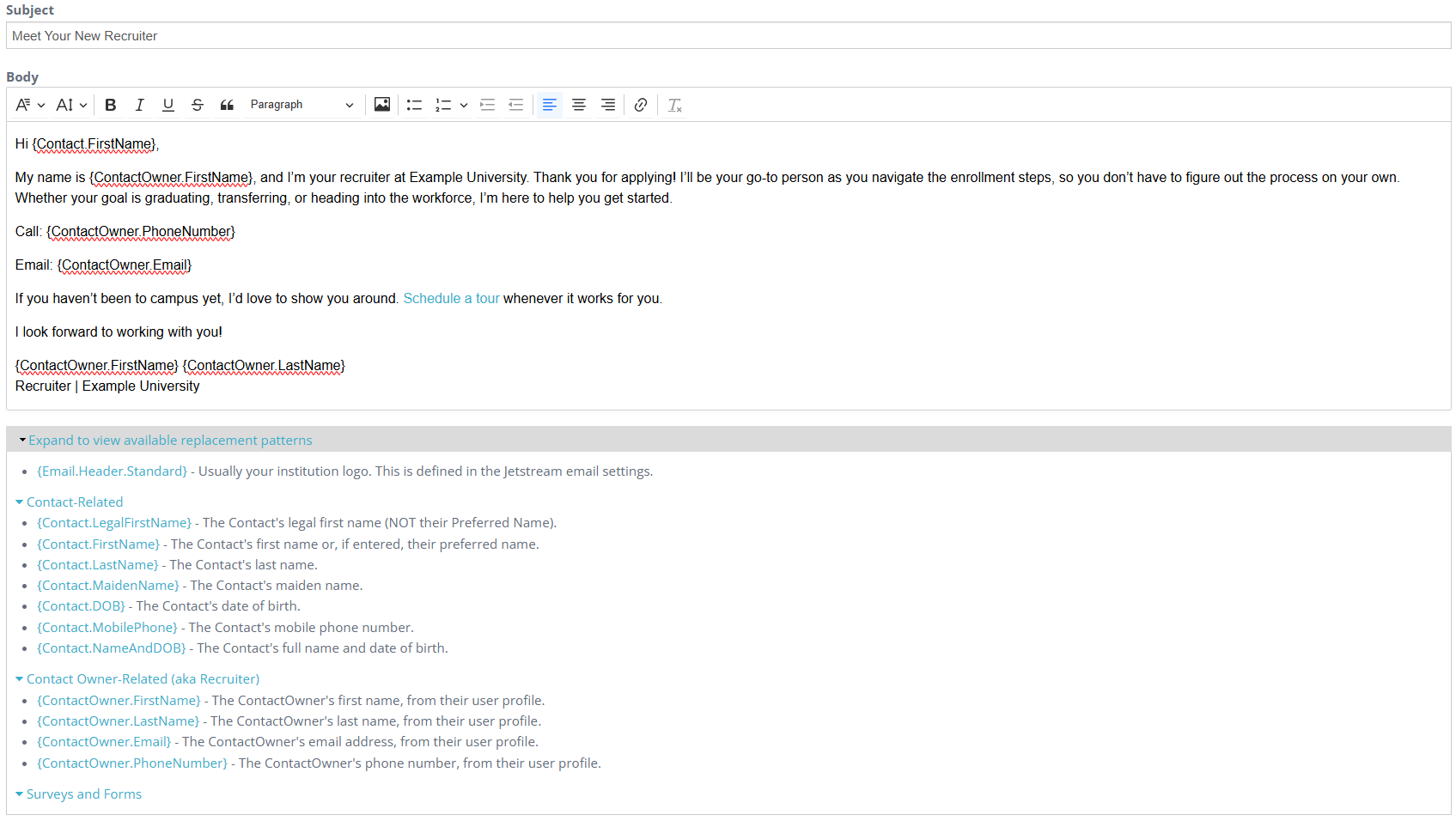
Available replacement patterns#
Beneath the Body editor is a click-to-expand region that displays the replacement patterns available for the template.
Expand this region to review the patterns you can use while writing the template. Add the appropriate pattern to the email text where you want Jetstream to insert its value when the email is sent.
Email Templates are used for Survey links described on the Surveys page and for email Actions described on the Automations page.